[Update Notice – v6.0.4] Follow People-Related Events More Easily and Format Your Pages More Clearly ✨
Hello from DigitalPage, With the 6.0.4 update, we have improved the way you can view information about people mentioned in your pages, and added paragraph alignment options when writing a page. Explore the flow of events related to people in your records more easily, and organize your pages in a clearer, more polished way.
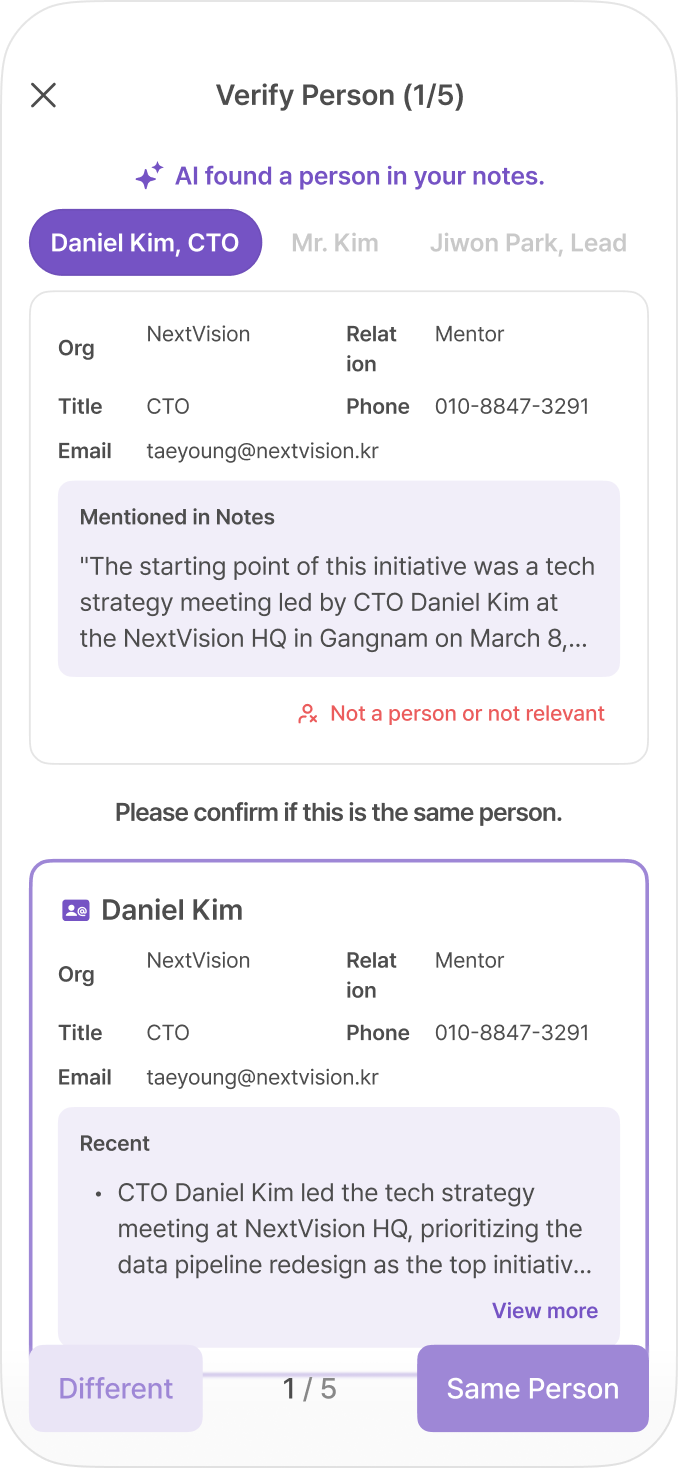
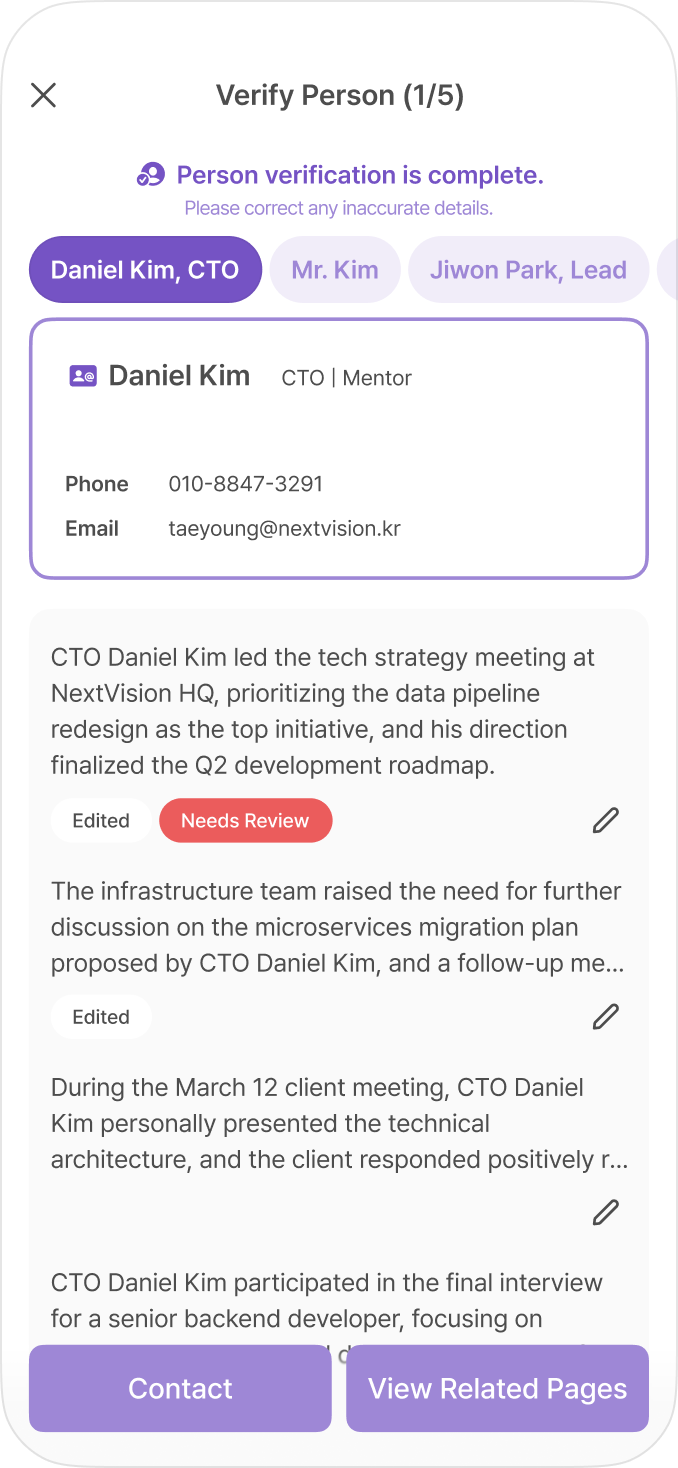
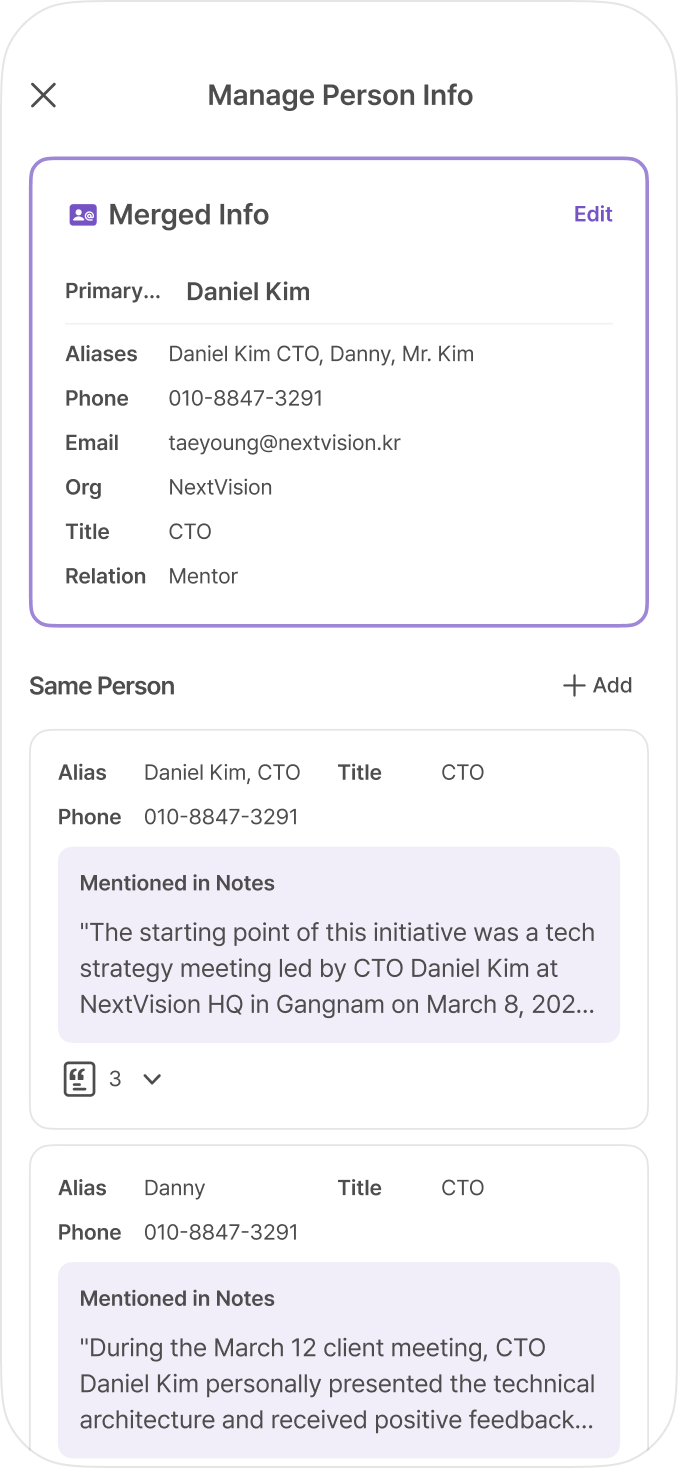
View events related to people more easily DigitalPage already helps you automatically extract people and related information from your pages, and check whether they refer to the same person. With this update, we have improved the feature further by extracting events related to each person, so you can review them quickly and easily. Now, you can not only see which pages mention a specific person, but also follow the timeline of events or moments related to that person. We have also renamed the existing Contact menu to Person, so the purpose of the feature is clearer and easier to understand.
Use paragraph alignment when writing a page Paragraph alignment is now available on the page writing screen. You can align your paragraphs to the left, center, or right depending on how you want to organize your content. Try center alignment for titles or highlighted sentences, and right alignment for content such as signatures or dates.
DigitalPage will continue improving the way your records are understood and organized, so you can make better use of the information within them.